 Phone Guardian: Ad Blocker
Annoying mobile ads,
blocked for good.
Full-screen ads, stubborn pop-ups, adult ads — Phone Guardian wipes out the web ads cluttering your browser, all at once. Install it and tap “Start”. That’s it. Your ad-free phone starts today.
 For Android3-day free trial, every feature, no subscription

on the block list
no tricky setup
no subscription
the app itself
Fed up with ads like these?
You open an article and it’s buried under ads. Phone Guardian cuts that stress off at the source.
Ads fill the whole screen, and you can’t read the article you came for.
The “close” button is tiny, so you tap the ad and get whisked to another page.
Crude and adult ads show up uninvited, and it’s unpleasant.
Ads quietly eat into your mobile data without you noticing.
From ad-cluttered to clean.
Install it and tap “Start”. Your usual browser stays the same — only the ads disappear.
Free right now — so popular!
What Phone Guardian does
Blocks the annoying web ads in your browser.
Using a list of over 390,000 ads and scam sites, it blocks them before they can even load. Your usual browser keeps working as is — no settings to change.
- Stops full-screen ads and pop-ups that open on their own
- Blocks adult ads and connections to shady fake-alert sites
- With ads gone, you save mobile data too
Monthly report
See how many ads it removed this month — in plain sentences, not a wall of numbers.
Device info
Check your phone’s model, Android version, free space and more, all from one screen.
Nothing you browse is sent
The sites you visit and the contents of your traffic are never sent anywhere.
It targets ads on websites viewed in a browser. Ads inside other apps, such as games, are out of scope.
New ads? Handled automatically.
New ads appear every day. Phone Guardian’s block list keeps itself up to date — you don’t have to do a thing.
Fresh list, automatically
The block list keeps up with newly appearing ads through automatic updates.
Nothing for you to do
No update chores, no maintenance. Just keep it installed and it stays current.
Always protected
It quietly keeps blocking even the newest ads in your browser. Peace of mind, around the clock.
Big buttons, big text.
Easy for every generation.
No tricky settings. Just tap one big button. From kids to grandparents, anyone can use it right away.
Big buttons
Large tap targets, so you never fumble.
Big text
Clear, readable lettering throughout.
Simple setup
Install it and tap “Start”. That’s all.
For all ages
From grandkids to grandparents.
How to use it — that’s all
Install
Get “Phone Guardian” from Google Play.
Tap “Start”
One tap on the big blue button, then “OK” on the confirmation screen.
Forget about it
Phone Guardian quietly keeps removing ads, and reports its work every month.
Put it on your parents’ or grandparents’ phone and there’s nothing to teach.
It just works, as “that app the grandkids installed”.
Price
Try every feature free for 3 days. To keep using it, make a one-time purchase — that’s all. No monthly or annual fees, no auto-renewal.
Phone Guardian
¥300 Japanese yen, tax included
3-day free trial included — nothing is charged during the trial. It’s a one-time purchase: no monthly or annual fees and no auto-renewal. With the same Google account there is no need to buy it again after changing phones (there is no extra payment). Note that it can be used on only one device at a time. This app is sold in Japan, so the price is always 300 Japanese yen (JPY), tax included. Due to the nature of digital goods, refunds for change of mind after purchase are not accepted.
Phone Guardian: SecurityAvailable now
Closes the ways scams reach you: overseas calls, fake-warning sites and suspicious SMS links.
FAQ
The same content as the FAQ inside the app.
Q. What does this app do?
It blocks the ads shown in your browser apps, all at once. Pages load faster and become easier to read, and because trackers are blocked too, it also saves mobile data.
Q. How does it stop ads?
It blocks connections to the sources that serve ads and trackers. What you browse is never sent outside your device.
Q. Which devices can I use it on?
Android phones and tablets.
Q. Why does it need VPN permission?
To block ads in every browser, it uses the VPN feature built into Android, on your device. It never connects to any outside VPN server, and the contents of your traffic never leave your device.
Q. The guard sometimes stops on its own.
Only one VPN or ad-blocking app can run at a time, so using another such app can disconnect Phone Guardian. If your device’s battery optimization keeps stopping it, excluding Phone Guardian from battery optimization will make it stable.
Q. Ads are not disappearing.
This can happen when the guard is off, when old pages remain in the browser cache, or when the browser’s “Secure DNS” is on. Turn the guard on, clear your browser cache, and check your browser’s “Secure DNS” setting.
Q. Some ads don’t disappear.
Phone Guardian focuses on removing web ads. It never removes ads inside apps such as YouTube or games. Ads that can only be removed with a paid membership are also out of scope. In addition, ads served from the same source as the site itself, or embedded directly in videos, may not be blocked.
Q. Blank spaces are left on pages. Can they be removed?
A blank space is where an ad used to be — proof that blocking is working. The layout may look slightly shifted, but no ad is displayed there.
Q. Why is the blocked count higher than the ads I actually saw?
Phone Guardian also stops invisible trackers and background connections. A single ad can trigger several connections, and each one is counted, so the number grows quickly.
Q. Does it cost money? Is it a subscription?
It is not a subscription. You can try every feature free for 3 days. To keep using it, make a one-time purchase (pay once — 300 Japanese yen, tax included). Once purchased, you can use it forever with no further payments. With the same Google account there is no need to buy it again after changing phones — just tap “Use on this device” on the purchase screen of the new phone. Note that it can be used on only one device at a time.
Q. What’s the difference between free and purchased?
There is no difference in features. During the free trial and after purchase, everything works exactly the same. We simply ask you to make the one-time purchase if you wish to continue after the trial — nothing is added or restricted.
Q. Do you collect personal data or browsing history?
No. We never collect what you browse or send it anywhere.
Q. Does it save mobile data?
Yes. Blocking ads and trackers reduces the data used per page. The more ads a site has, the bigger the savings.
Q. Can my family use it on their devices?
Yes. However, one purchase can be used on only one device at a time, so if members of your family are to use it on their own devices at the same time, please buy it for each device. When you change to a new phone yourself, there is no need to buy it again: with the same Google account, just tap “Use on this device” on the purchase screen of the new phone and it moves over with no further payment (it then stops on the previous device). Every device can start with the free trial first.
Q. Where do I report problems or send requests?
Use the contact form below (the app’s “Contact us” opens the same form). Please enter your name, email address, and message. We will reply to the email address you provide.
Contact
Questions and requests are welcome. Please fill in your name, email address, and message.
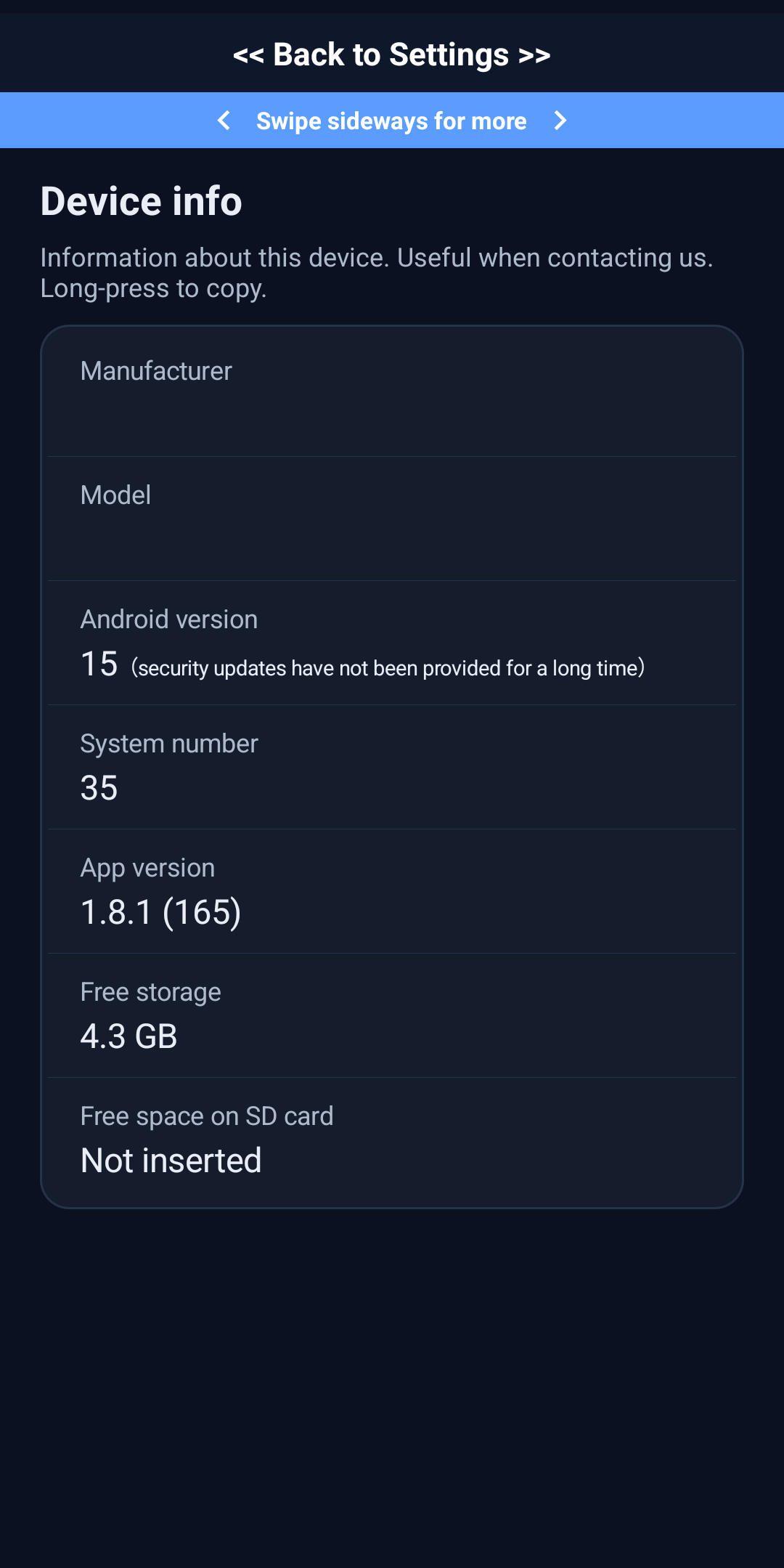
When reporting a problem, attaching the contents of “Settings” → “Device info” in the app (long-press to copy) helps us investigate quickly.
An ad-free phone, starting now.
3-day free trial, every feature, no subscription. Install it and tap “Start”. Not for you? Just uninstall — it costs nothing.
Google Play and the Google Play logo are trademarks of Google LLC.
Phone Guardian series
Guardians from the same maker, each with a different job.
 Phone Guardian: Ad Blocker